VeriComms
🔎 Upgrading an AI-powered tool that supports public health communicators with research and content creation

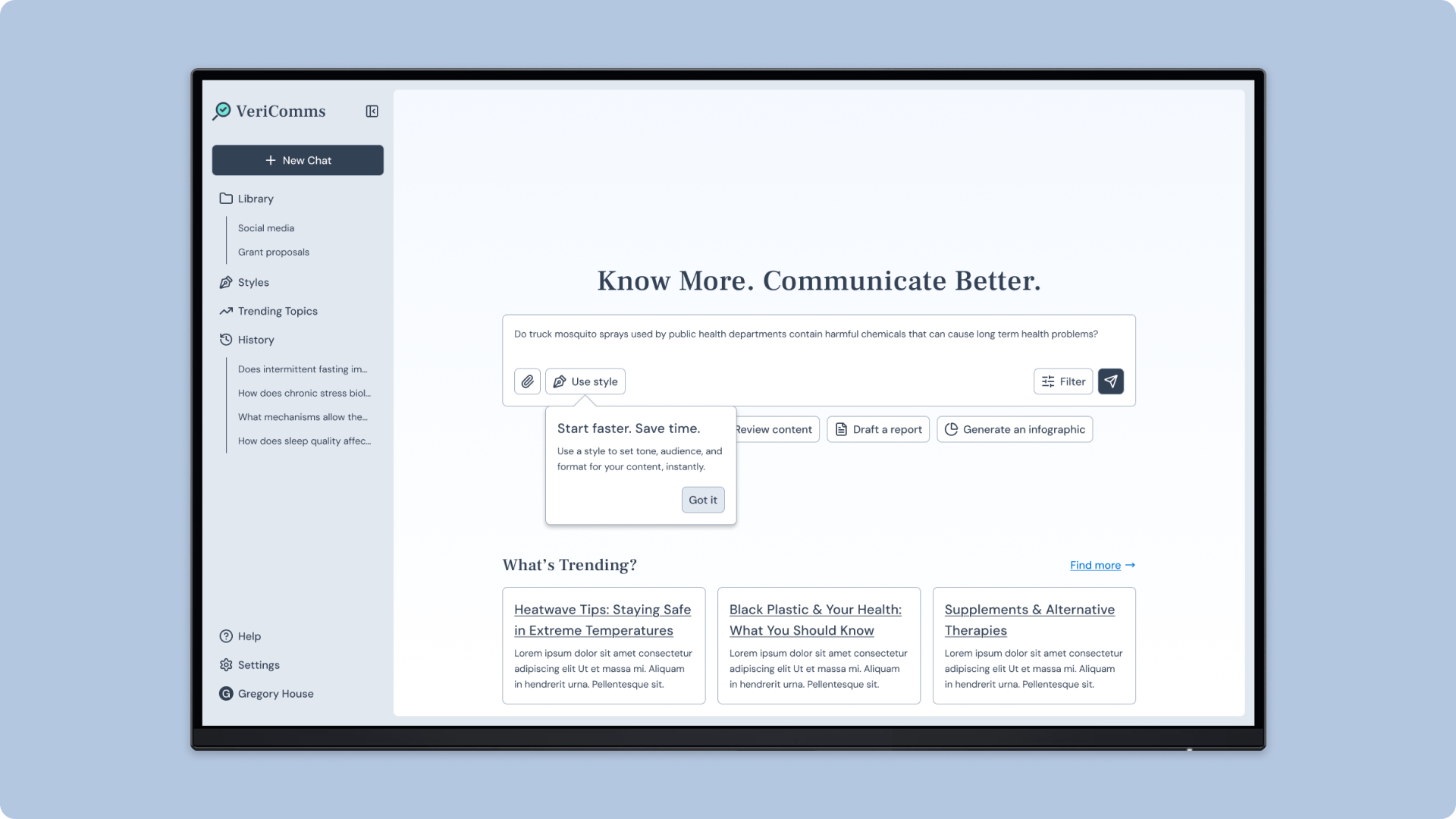
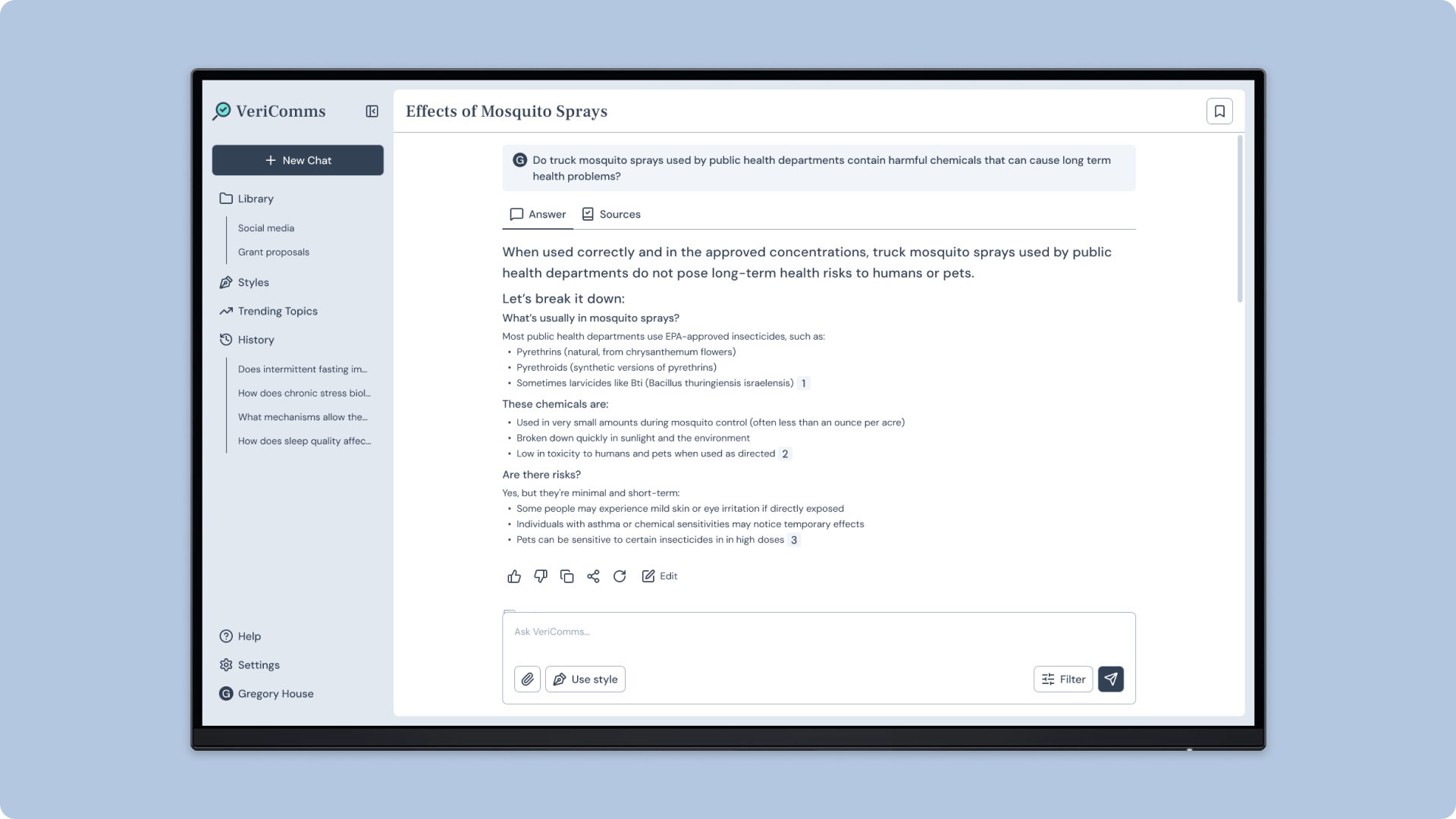
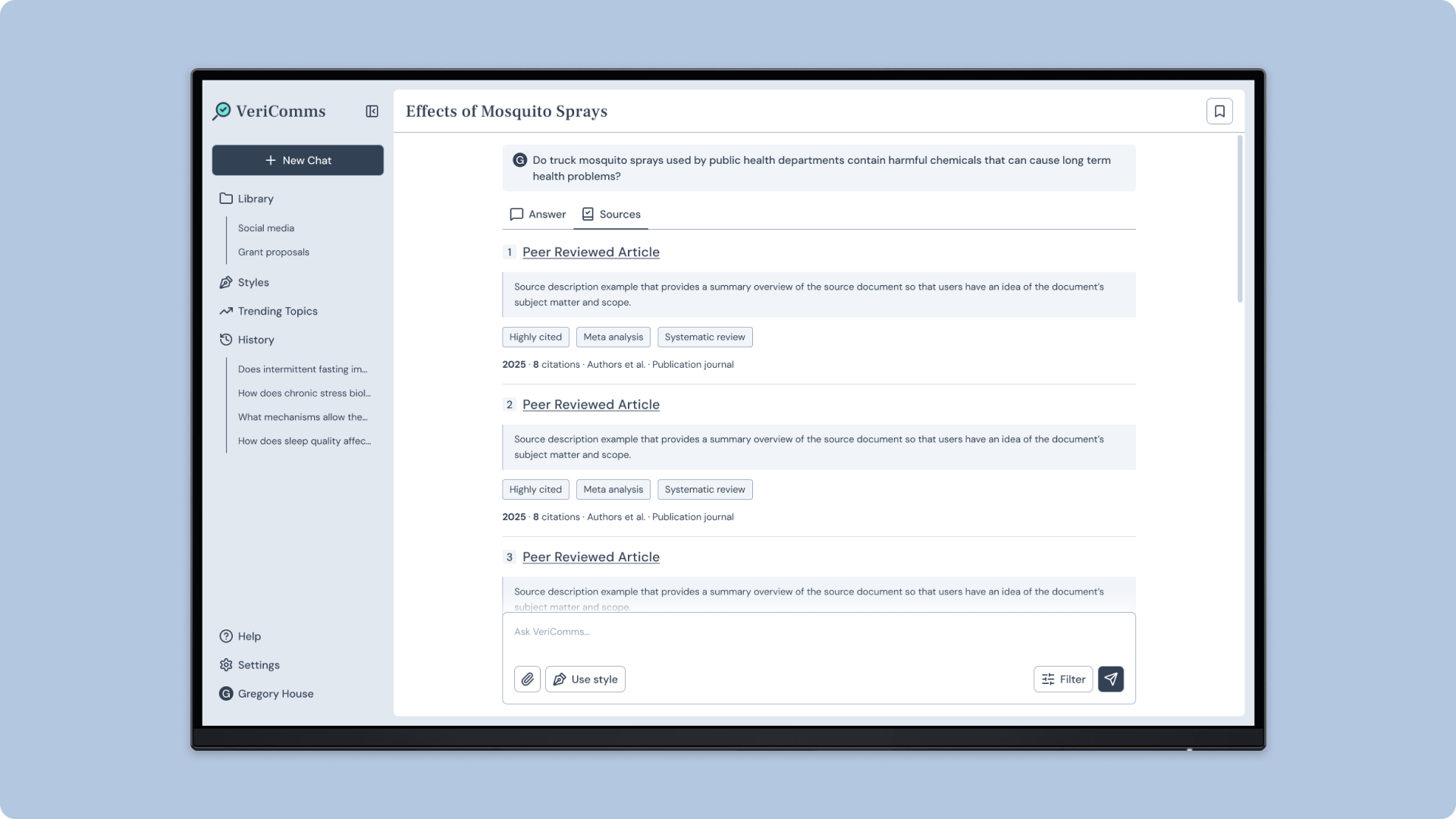


OVERVIEW
Connecting science & communication
Public health communicators often have limited time and budgets to fight health misinformation. To address this, Science to People is building VeriComms, an AI-powered tool that helps them quickly create trustworthy content using vetted scientific sources.
The Problem
Poor layouts make it hard for communicators to find key information like information sources, and limited features make collaboration difficult.
The Solution
Our cross-functional team at Tech Fleet designed a research-informed prototype with clearer navigation, making it easier for communicators to find key information like sources. We also added commenting and sharing features to support collaboration.
MY ROLE
Leading design thinking & collaboration
I guided the UX Design team to ensure our work was grounded in usability best practices and research. I collaborated closely with researchers, strategists, and writers to rapidly improve the product in just 10 weeks.
Contributions:
- Audited the base tool to identify usability issues and opportunity gaps
- Designed a streamlined prototype with enhanced navigation and features
- Moderated interviews with public health communicators
- Facilitated stakeholder workshops, client demos, and team meetings
DISCOVERY
Interviewing public health communicators
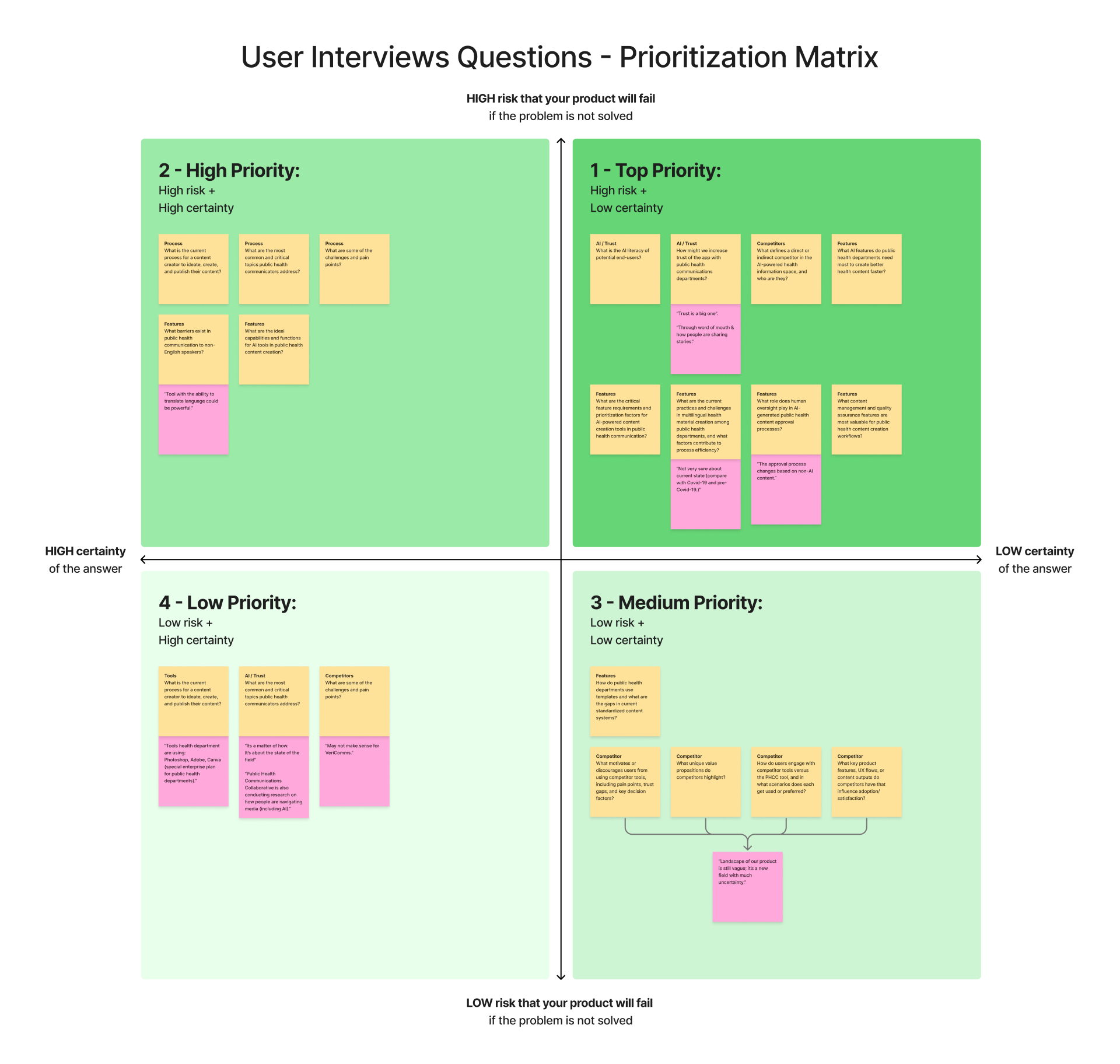
VeriComms was originally developed with limited research: 16 surveys and 329 unstructured interactions.
Due to confidentiality restrictions, we could not test the base tool with participants. Instead, I helped our research team with interviewing 30 public health communicators to understand their workflows, pain points, and use of AI. The research team prioritized the questions with the client, recorded the interviews, and analyzed transcripts in Dovetail to find key insights.
Key insights:
- Familiar AI chatbot patterns – Communicators expect AI tools to handle varied requests like in ChatGPT and Claude.
- AI as a brainstorming assistant – They use AI to help draft campaigns, create outreach content, and visualize data.
- Vetted information sources – They verify whether AI responses are backed by reliable sources, especially on sensitive topics such as vaccines.
- Content collaborators – When creating content, they involve many collaborators to ensure accuracy, sensitivity, and compliance. Participant 23 describes the in-depth process:
“A subject matter expert will provide the content, which is reviewed by their division leader. I create a mockup and submit it to my manager, who does a literacy and design review. After that is approved, it’s sent to the communications director to ensure that it is compliant with our branding. We then send it back to the subject matter expert to review and they give us feedback. Then it will be approved for dissemination to the public.“
AUDIT
Identifying gaps & opportunities
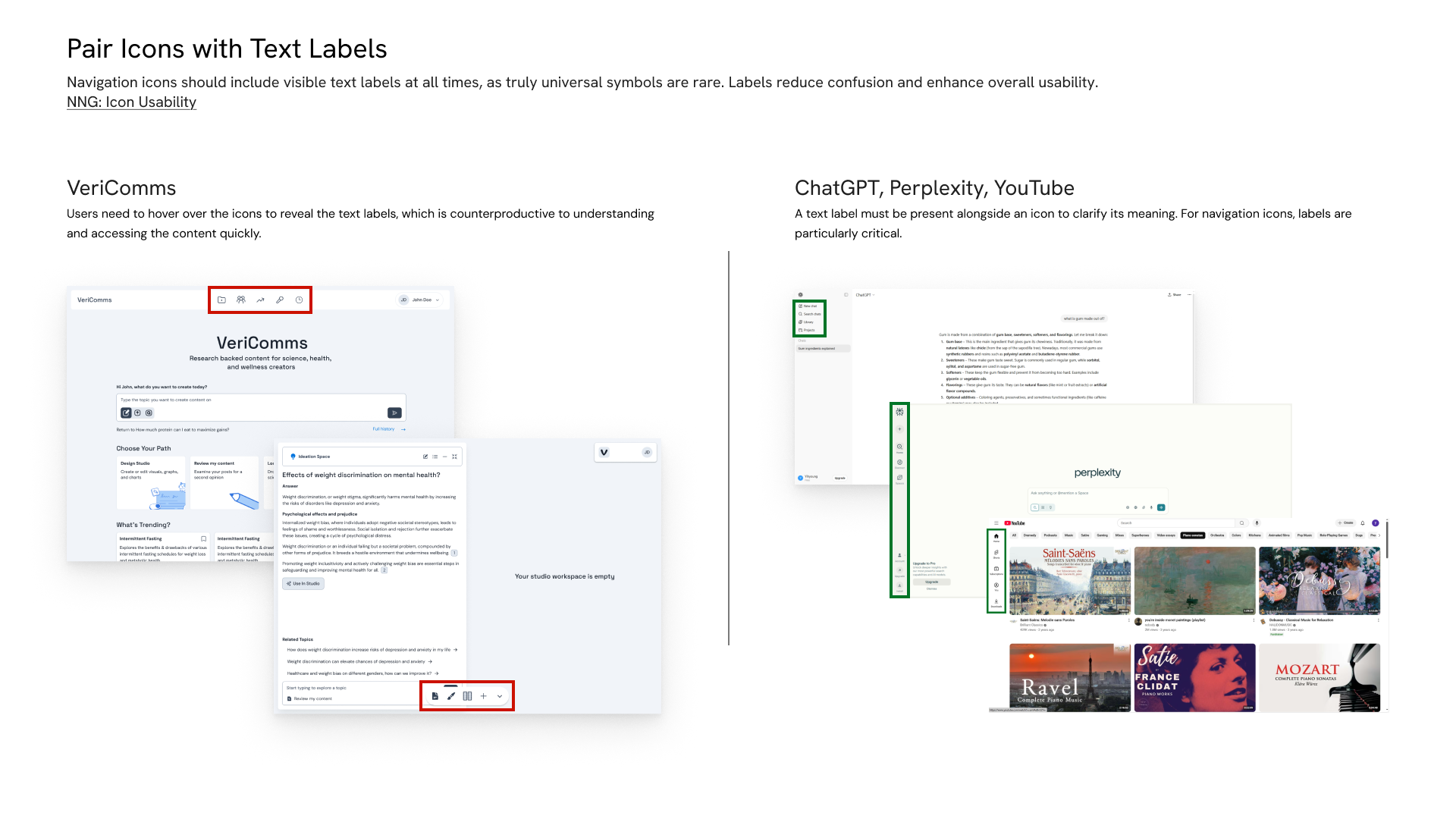
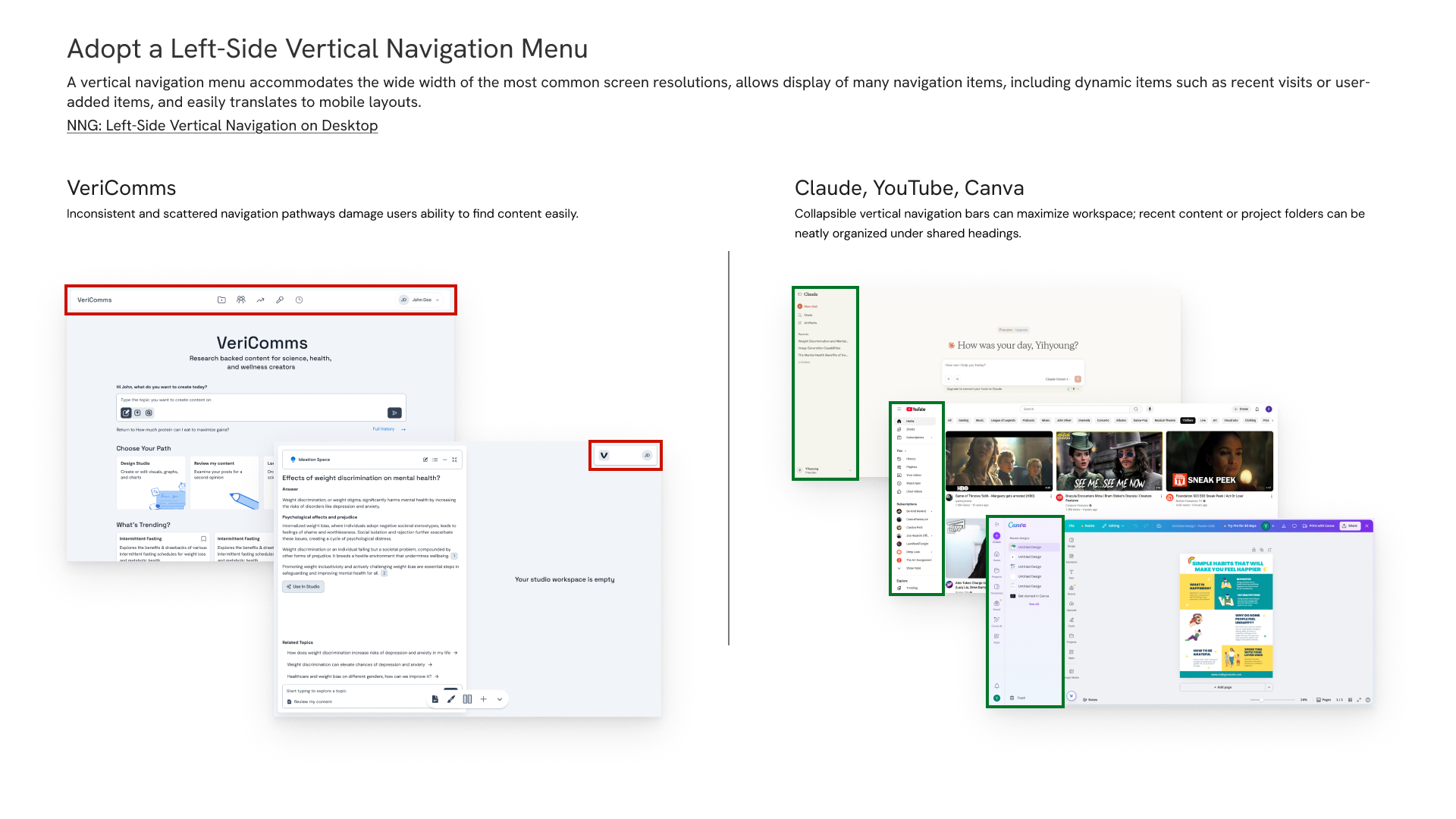
Drawing from Nielsen Norman guidelines, interview insights, and competitor designs, I identified usability gaps and opportunities to better support communicators. We compiled our recommendations in a slide deck, and I reviewed them with the client in a workshop. Due to confidentiality, these example slides show a de-branded version of the tool.


DESIGN
Prototyping with research
With the design and research teams, I constructed a low-fidelity prototype with two goals:
- To gather feedback from communicators on whether the prototype supports their key work tasks.
- To visualize more usable and accessible interfaces.
Feature prioritization
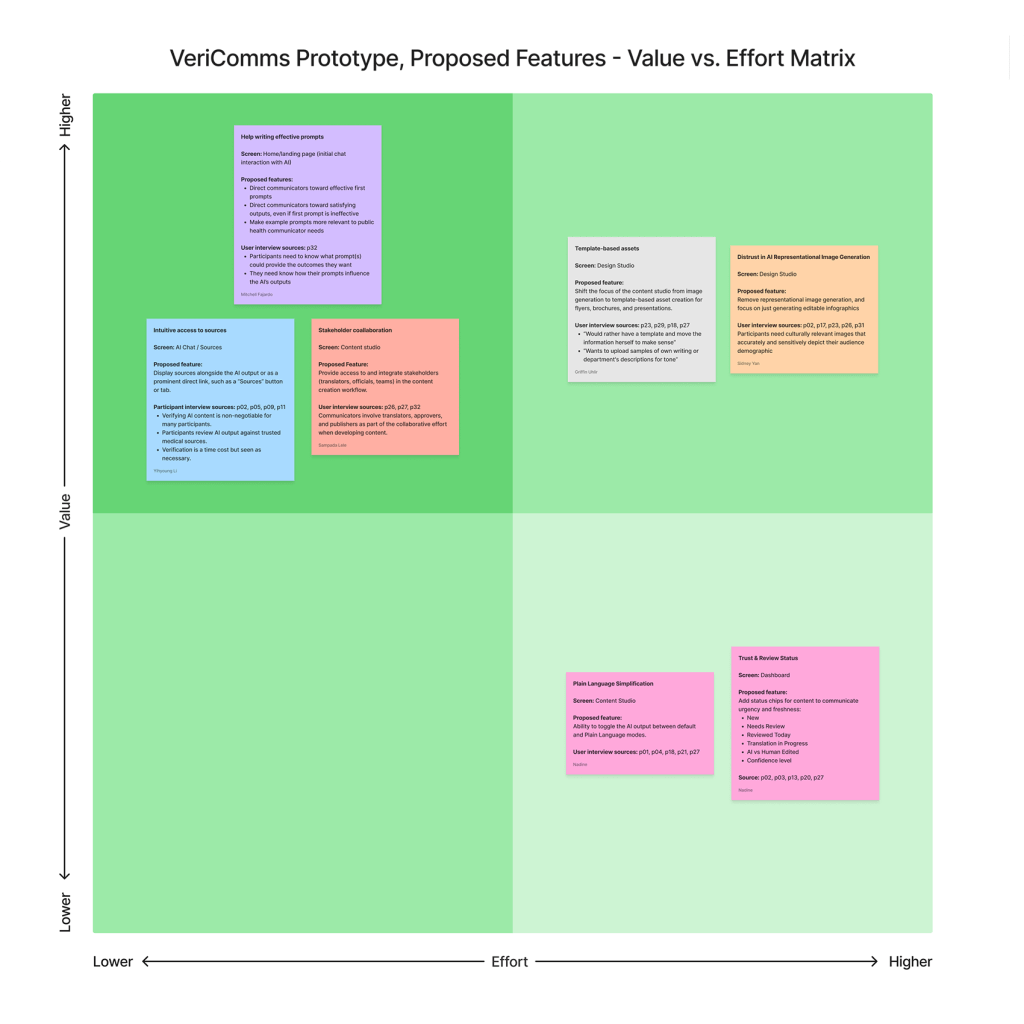
We brainstormed features based on our research. Then, we worked with strategists to prioritize which features to include in the prototype based on value and effort.
Prioritized features:
- Example prompts that illustrate the tool’s capabilities
- Information sources that are easy to verify
- A text translation feature
- Sharing and commenting tools to involve collaborators
Task Flow

Focusing on the product’s core offerings—conducting research and creating content—we mapped a task flow that served as an outline for our prototype. We worked with our researchers to ensure that each step matched the prioritized features.
Initial Prototype
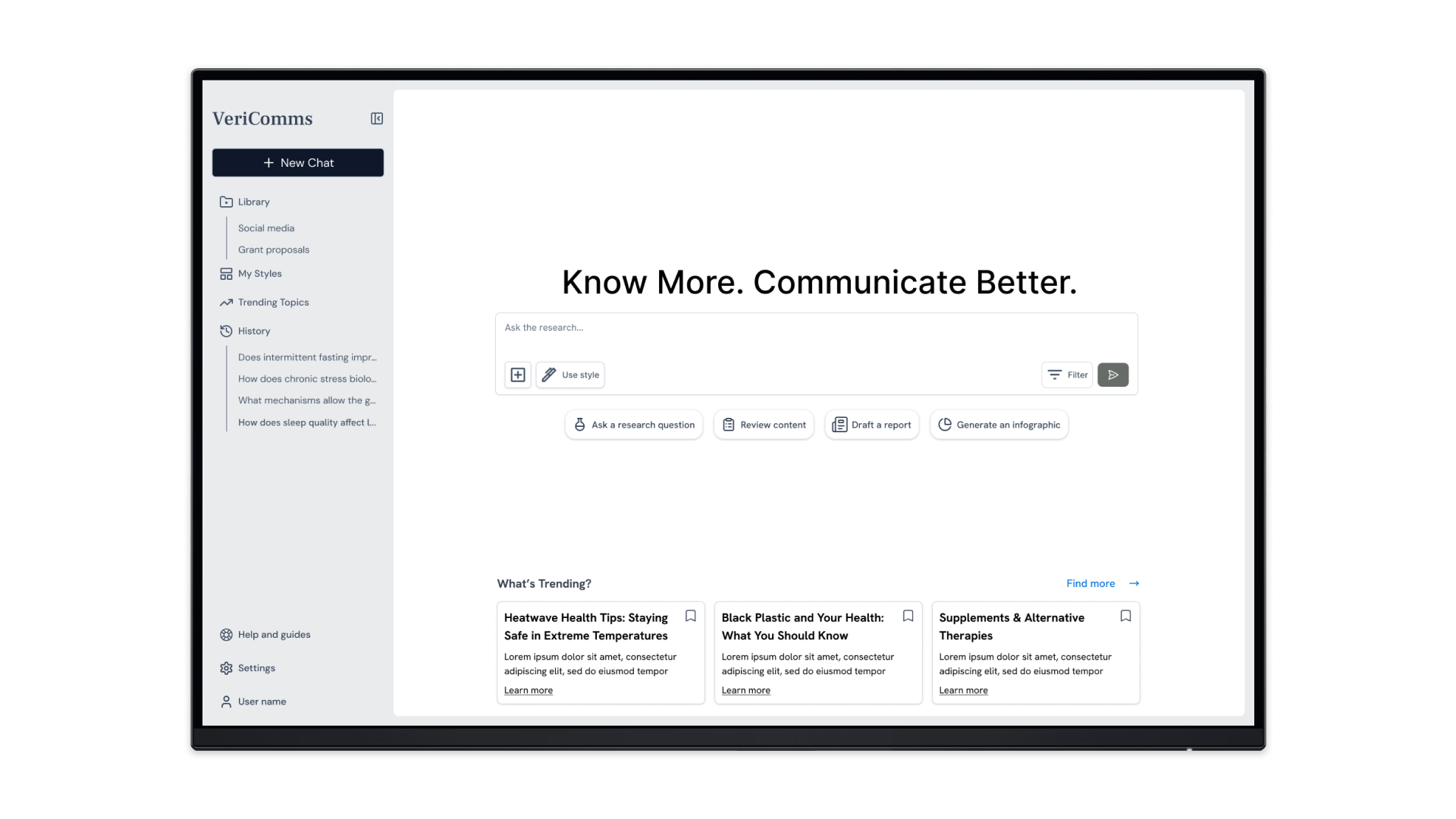
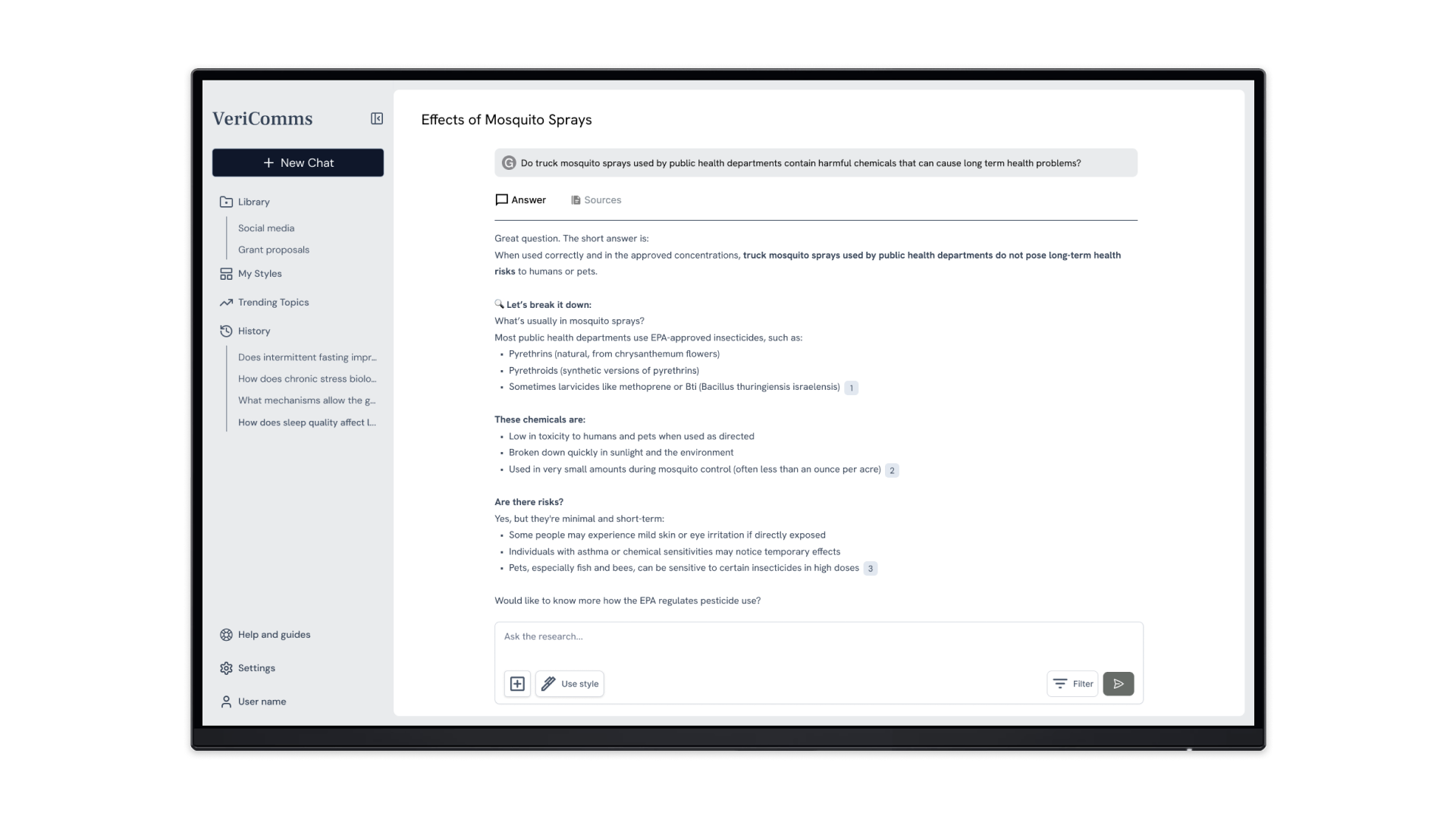
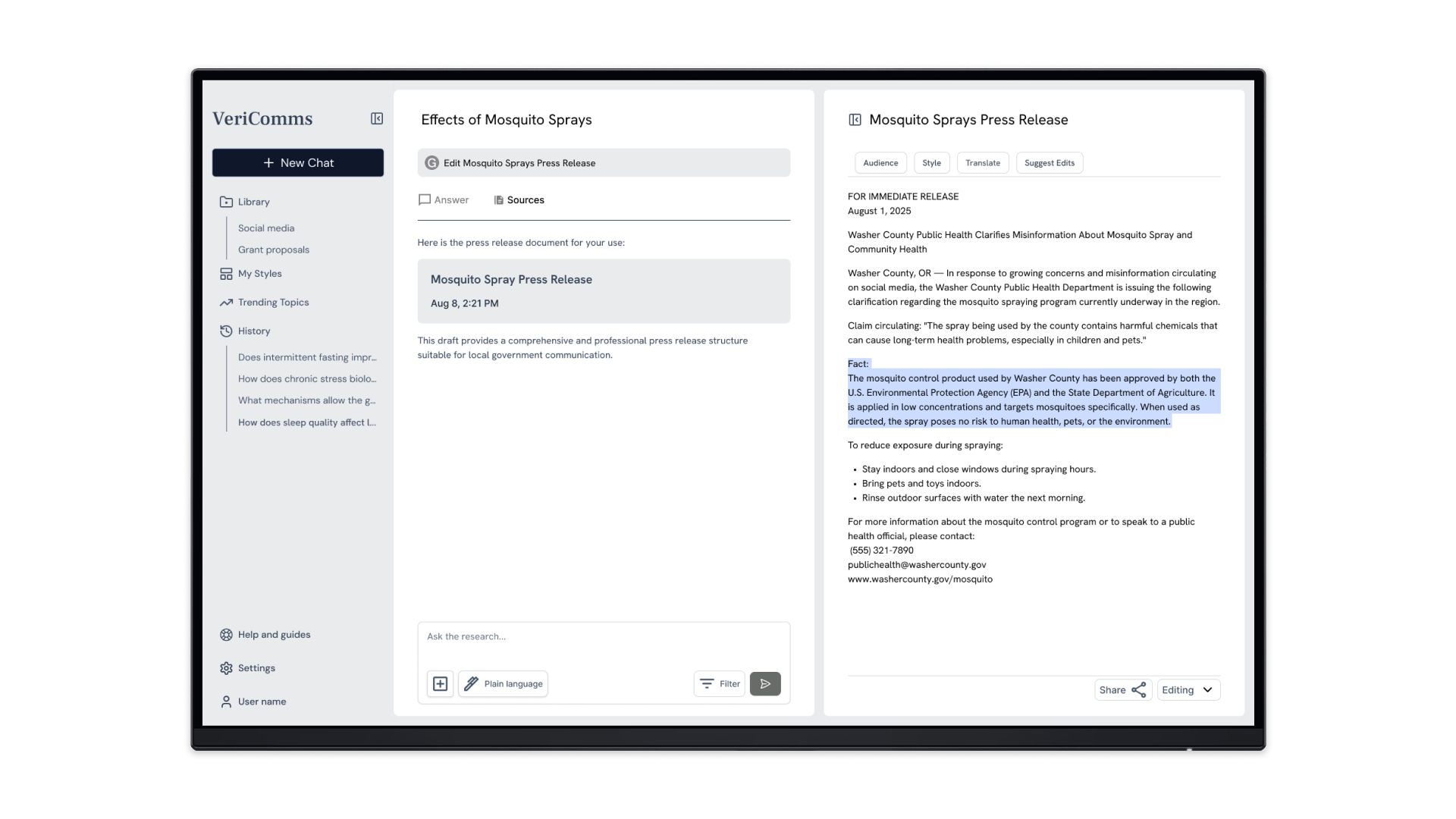
With a solid task flow, we assembled a low-fidelity prototype, looking closely at competitor designs to craft the layouts. We incorporated the prioritized features and opportunities identified in the audit, such as icons with text labels and a vertical navigation menu.


TESTING & ITERATIONS
Improving feature discoverability
We ran concept tests in Maze with five health communicators, then uploaded the transcripts to Dovetail for qualitative analysis. Participants appreciated the prototype’s ease of use, source visibility, and productivity potential. Participant 5 remarked that the tool would be suitable for a variety of collaborators such as government workers and community partners:
“I think people would learn to use [VeriComms] pretty quickly. It’s kind of like ChatGPT; you just jump in.”
Yet, participants overlooked the template and translation features, instead wanting to use the prompt field to complete the tasks. Looking closely at design patterns in ChatGPT, Google Translate, and Gemini, we addressed these issues by improving discoverability and aligning with participants’ preference.
Users need cues for new features

Problem
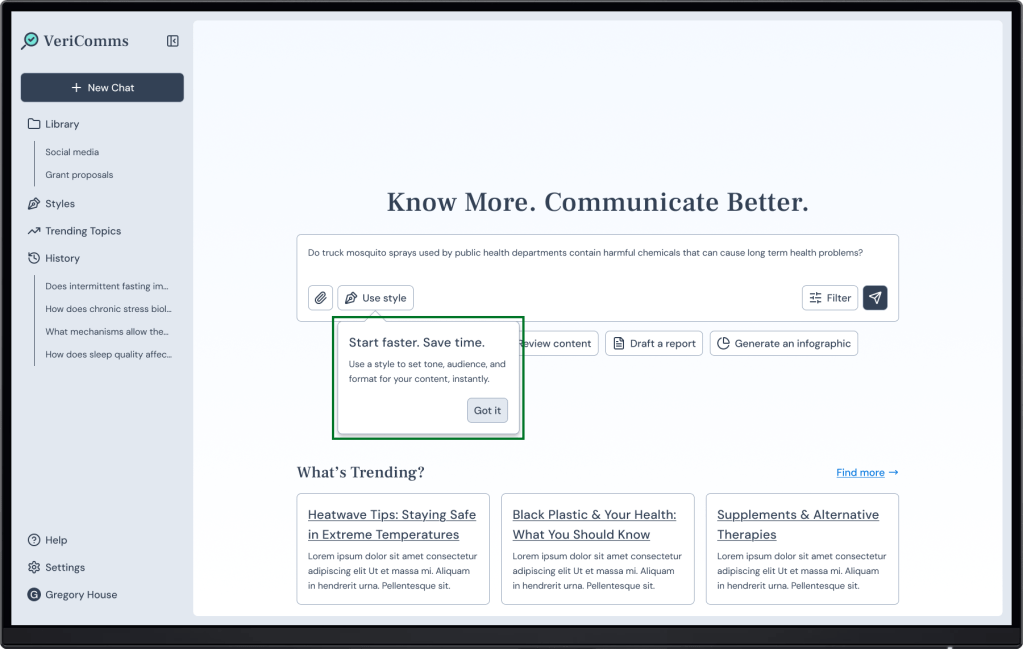
None of the participants noticed the Use style template feature.
Solution
A coach mark draws attention to and introduces the feature.
Users need features that align with their mental models
Problem
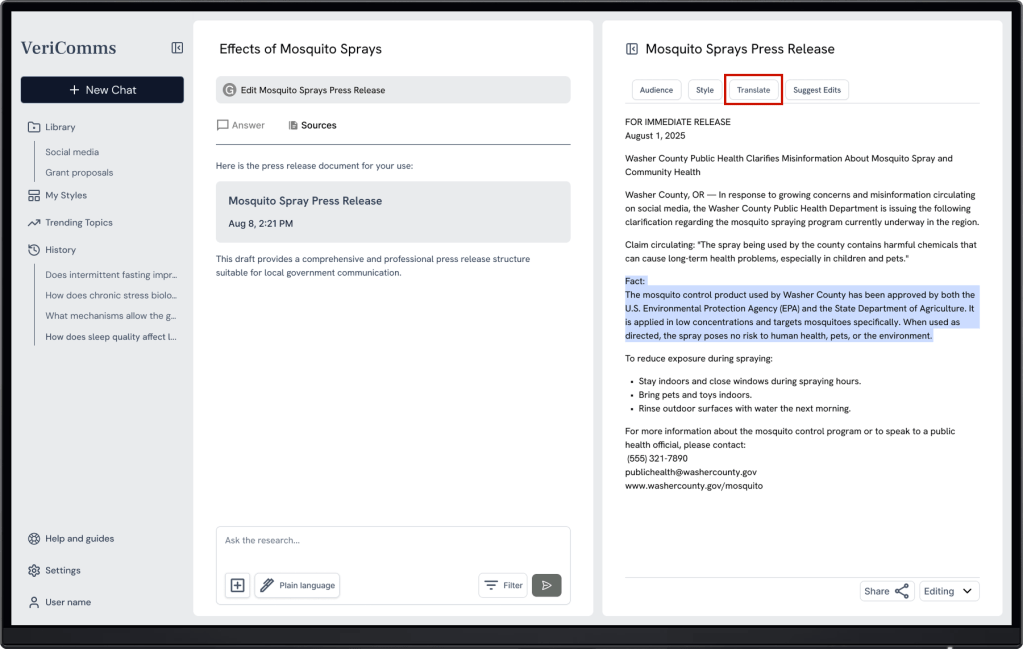
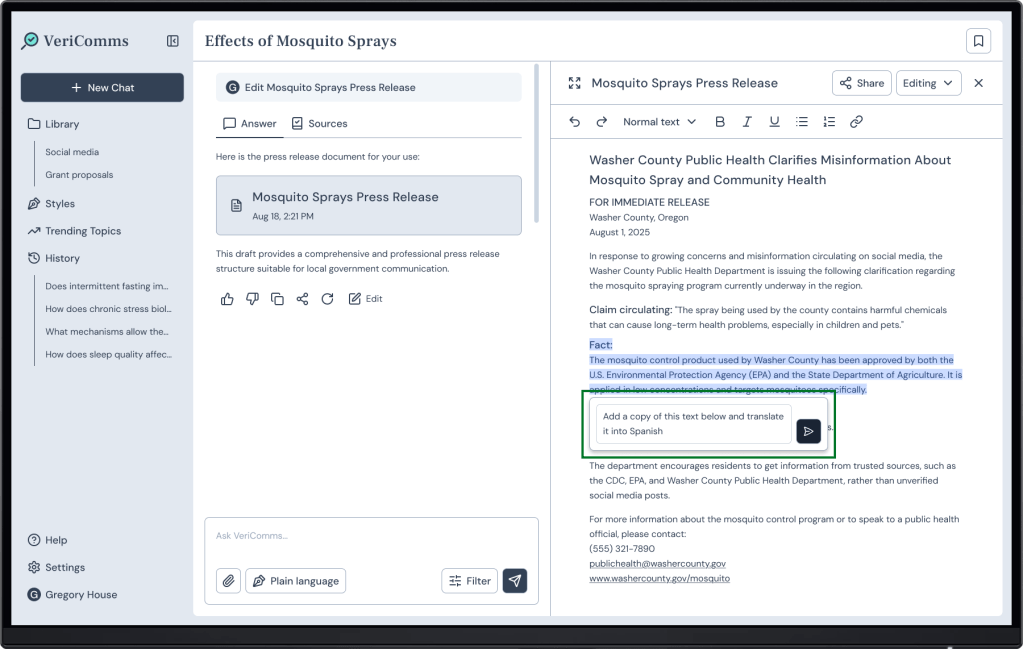
Participants didn’t notice the translation feature, instead wanting to use the prompt field.
Solution
Users can translate text with a contextual prompt field.
FINAL DESIGNS
An intuitive tool for communicators
The prototype reflects the insights we identified in our user research, supporting communicators with verifying AI responses, brainstorming and writing, and collaborating with stakeholders.
Communicators can verify sources via hover citations and a dedicated tab
A contextual prompt field supports intuitive AI-assisted editing, such as translating text
REFLECTIONS
Collaborating to build
In just 10 weeks, our team gained insight into communicators’ workflows, explored AI design patterns, and adjusted to confidentiality restrictions. Our close collaboration enabled us to provide improved user experiences for VeriComms, earning positive feedback from the client:
“Your team’s research and UX work directly supported our ability to move forward with fundraising and development. The prototype gave our team a clearer understanding of user needs, leading to more intentional product scoping and feature prioritization for VeriComms. Several of your UX recommendations have been shared with [our developers] and are being incorporated into the current design and build phase.“
Brinleigh Murphy-Reuter
CEO & Founder, Science to People

Given more time, I would integrate our persona—finalized at the end of the phase—into the prototype. Incorporating the persona would further anchor our designs in user needs and illustrate the product’s user journey for the client.
 Yihyoung Li